Mercedes-Benz coding specialists
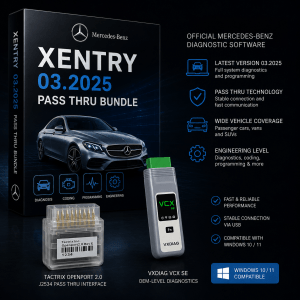
We supply professional-grade Mercedes diagnostic software for workshops, technicians and enthusiasts who need dealer-level access. Buy, download and install it yourself, with remote help available if you need it.
Already have a laptop and a compatible diagnostic interface? We can also carry out remote coding and programming, from feature activations to SCN coding and adaptations, without you needing to visit a workshop.
Shop
Simple and straightforward
Tell us your Mercedes model and what you'd like coding, and we'll send you a quote.
Install RustDesk on your laptop, connect your diagnostic interface to the car and send us your RustDesk ID and password.
A member of our team connects securely to your laptop and carries out the coding remotely.
Choose a Xentry, DTS Monaco, Vediamo or calculator package and check out securely.
Download your software and install it yourself on your own laptop.
Stuck at any point? We offer a remote support service and can connect to help you get set up.
Why MBAutocode
We specialise in Mercedes-Benz software: coding, programming and diagnostic software. We don't carry out mechanical repairs.
Message us for a price, install RustDesk and we'll connect to your laptop and carry out the coding for you.
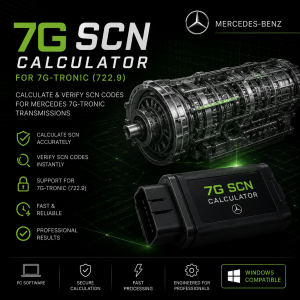
Xentry, DAS, DTS Monaco and Vediamo, plus SCN and seed key calculators for advanced work.
Our Mercedes coding forum has step-by-step guides and a place to ask questions.
From our forum
FAQ
Yes. Once you've bought a package you can download and install it yourself. If you'd like a hand, we also offer a remote support service: install RustDesk, send us your ID and password, and we'll connect to help.
A Windows laptop and a compatible diagnostic interface to connect to the car. If you're not sure your interface is compatible, message us before ordering and we'll confirm which package suits it.
Yes. Message us with your model and what you'd like doing and we'll give you a price. You'll need a laptop and a compatible OBD diagnostic interface connected to the car. Then install RustDesk and we'll connect and carry out the coding. See our remote support page.
Xentry is the dealer diagnostic tool for fault finding and service work. DTS Monaco and Vediamo are engineering tools for deeper coding, such as enabling hidden features. Many customers use Xentry alongside one of them. Ask us and we'll recommend the right setup.
Message us with your model and what you'd like to do, and we'll tell you what's possible.