

If you want your Mercedes-Benz air conditioner to blow colder air than the factory setting, you can modify the Temperature Offset parameter using DTS Monaco. Below is a clear and safe step-by-step guide to help you perform this Mercedes temperature offset coding effectively.
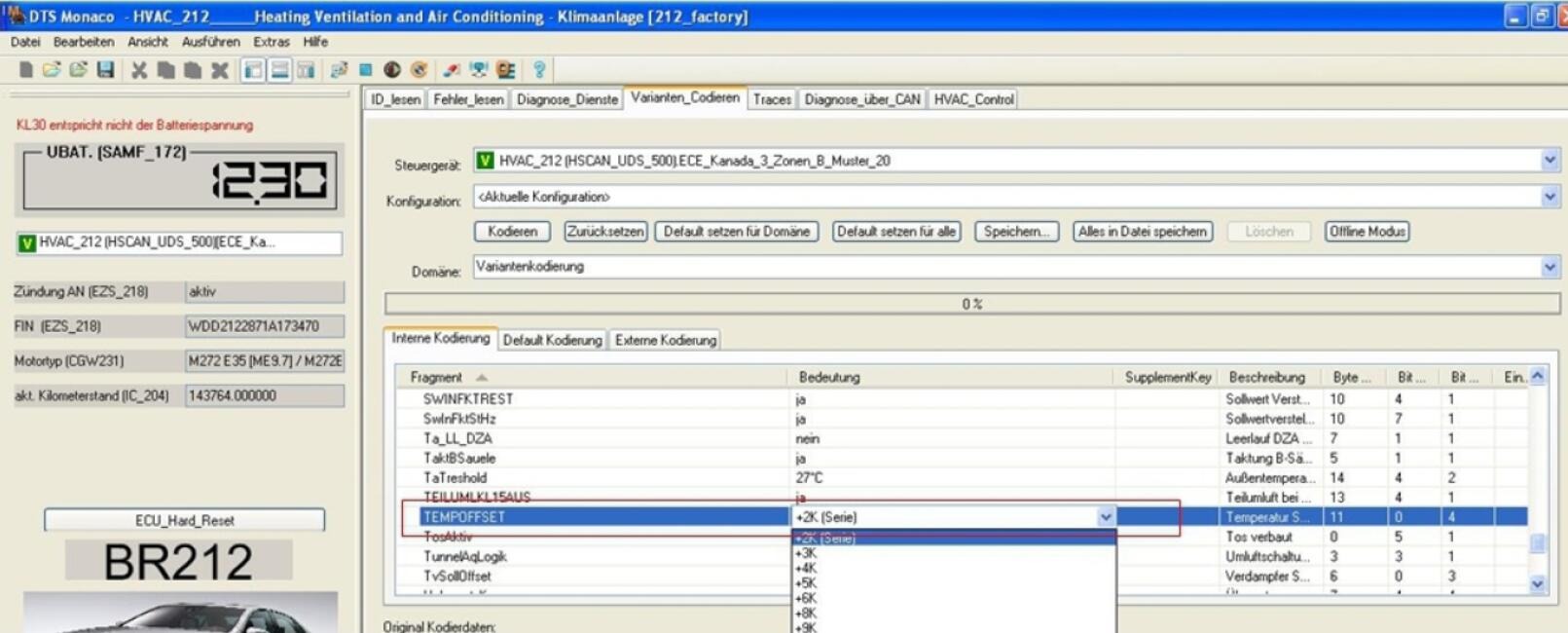
Tip: If you’re not confident in performing ECU coding or unsure about the correct TEMPOFFSET value for your Mercedes model, AutoExplain provides remote coding service and training materials. Check out our guidebook “DTS Monaco Advanced Vol.2 – Unlock 100 Hidden Features on Mercedes-Benz”. Contact us via WhatsApp +1(936)2896695 for professional support.
Even though DTS Monaco temperature offset coding is a simple and effective way to make your Mercedes air conditioner cooler, some users may encounter minor issues during or after the process. Below are the most common problems, their possible causes, and solutions to help you fix them quickly.
| Issue | Possible Cause | Solution |
|---|---|---|
| No noticeable temperature change after coding | The TEMPOFFSET value wasn’t correctly saved or applied | Reopen HVAC_212 → Variant Coding, verify that the TEMPOFFSET parameter shows your modified value, then re-code and restart the ECU |
| DTS Monaco shows “coding not allowed” error | The vehicle ECU may have security access restrictions or incompatible software version | Use the correct Cbf/Smr-d file for your chassis; if needed, perform seed-key access or contact AutoExplain for assistance |
| HVAC malfunction or fault code after coding | Incorrect or extreme TEMPOFFSET values (too high or too low) | Reset the parameter to a moderate value (e.g., -2 or -3), clear fault codes, and restart the system |
| Temperature fluctuates or A/C performance unstable | ECU calibration conflict due to recent variant change | Perform a hard reset (ignition off → wait 2 minutes → restart) to allow the new coding to stabilize |
Adjusting the Mercedes temperature offset through DTS Monaco coding allows you to fine-tune your air conditioning system for a cooler and more personalized cabin experience. This simple yet effective modification enhances comfort, especially in hot climates, by ensuring that your A/C delivers the precise cooling level you prefer.