Forum

How to code retrofi...
 
Notifications
Clear all

How to code retrofitted Rear Led Lights by DAS on Mercedes W204

1 Posts
1 Users
0 Reactions
3 Views
Posts: 14
Admin
Topic starter
(@admin)
Member
Joined: 6 months ago
[#2]

What You Need to Prepare

Before retrofitting Mercedes W204 Rear LED Tail Lights and performing coding with DAS (Diagnostic Assistance System), make sure you have the following tools ready:

  • A working installation of DAS/Xentry – required to perform variant coding on the Rear SAM.
  • Stable power supply or battery charger – to prevent voltage drops during coding.
  • OBD diagnostic interface such as C4, C5, or C6 – used to connect the vehicle to DAS.
  • Facelift Rear LED Tail Lights (OEM or high-quality aftermarket).
  • Basic tools to remove and install the rear tail lamps.

Having the correct tools and software ensures the LED retrofit works properly without errors or flickering.

How to retrofit Rear Led Lights by DAS on Mercedes W204: Step-by-Step Guide

Follow these steps to code and activate the Rear LED Lights on Mercedes W204 using DAS:

Step 1: Start DAS and run a Quick Test

Begin by scanning the vehicle to ensure all modules are reachable and there are no blocking faults.
How to retrofit Rear Led Lights by DAS on Mercedes W204 1

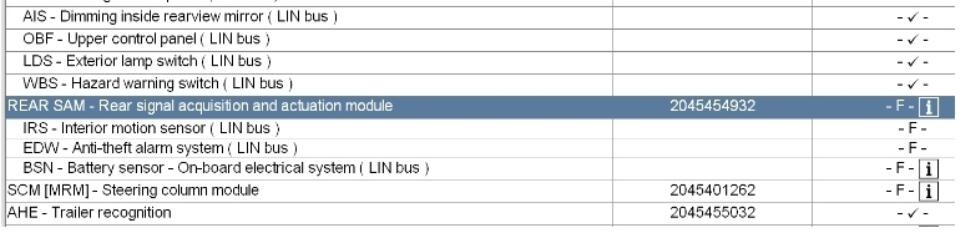
Step 2: Open the Rear SAM module

Navigate to Rear SAM → Development Data.
How to retrofit Rear Led Lights by DAS on Mercedes W204 2

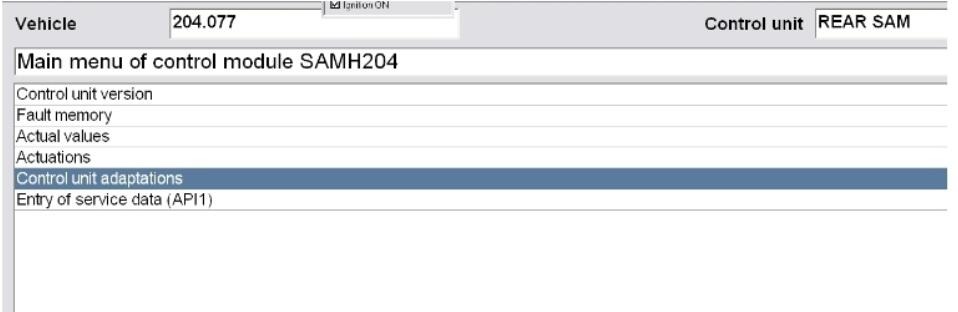
Step 3: Select Control Unit Adaptation

This section allows access to variant coding parameters.
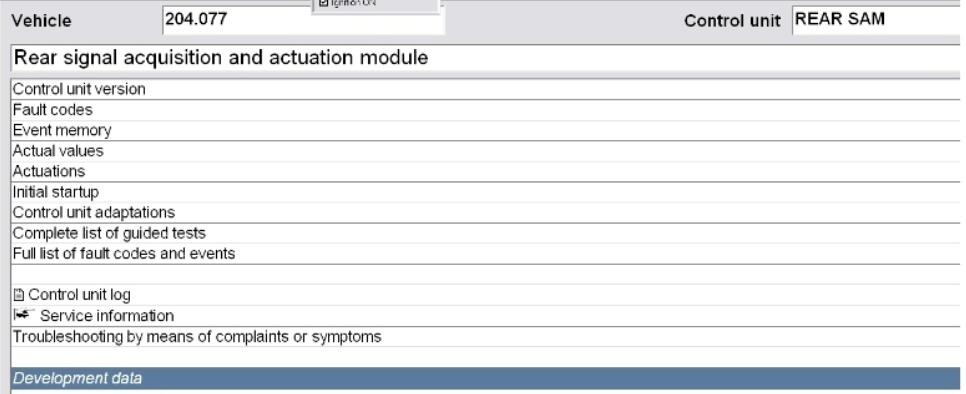
How to retrofit Rear Led Lights by DAS on Mercedes W204 3

Step 4: Enter “Control Unit Adaptations (Variant Coding)”

Here you can modify the configuration for the rear lighting system.
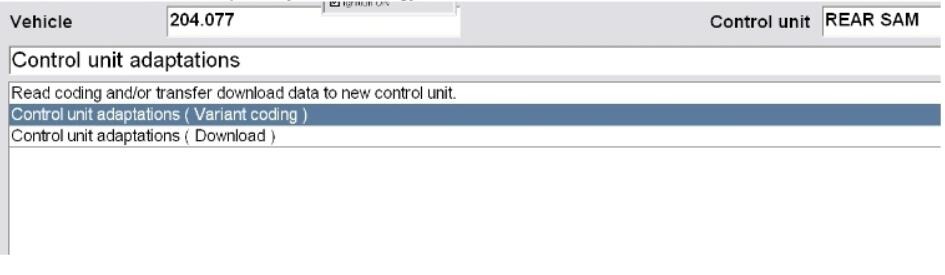
How to retrofit Rear Led Lights by DAS on Mercedes W204 4

Step 5: Open the Parameter “Lichtfunction”

This parameter set contains the light output functions for each channel.
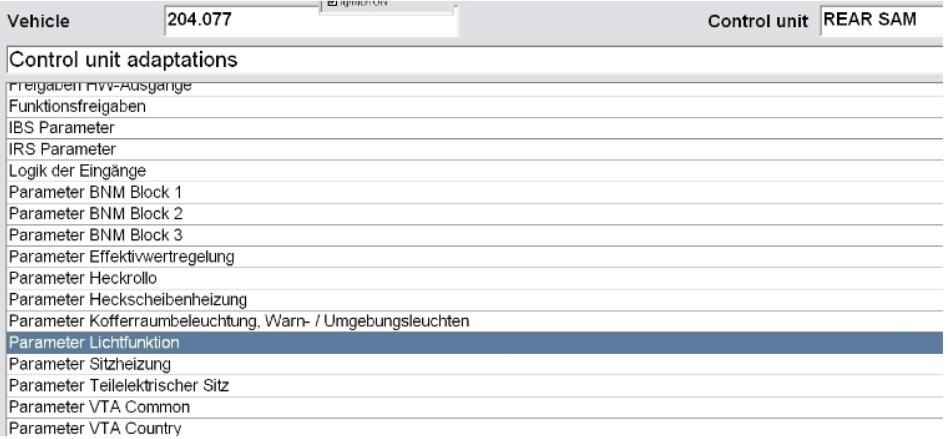
How to retrofit Rear Led Lights by DAS on Mercedes W204 5

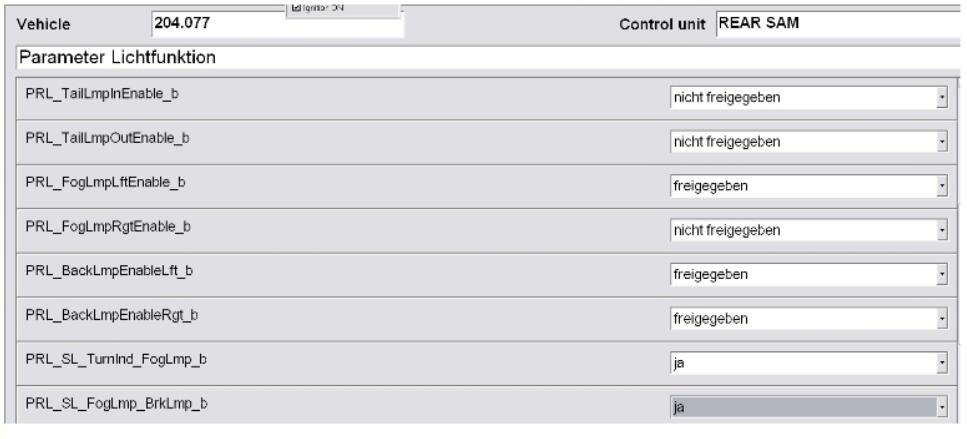
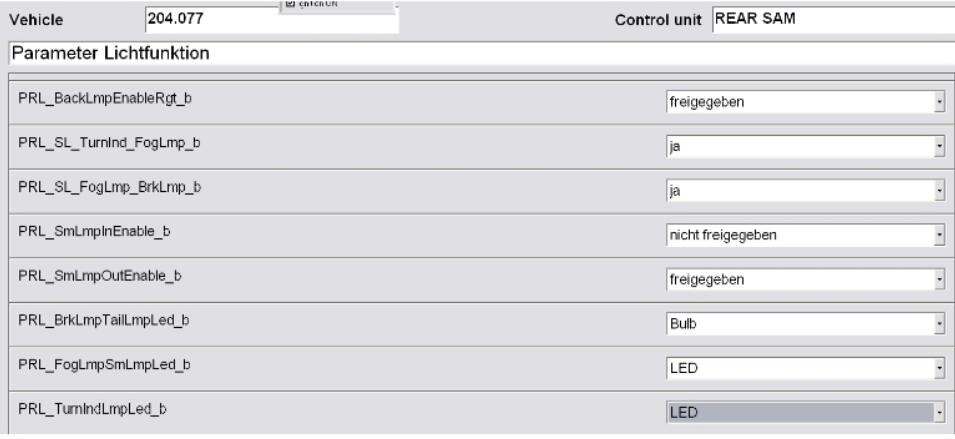
Step 6: Change the coding according to the screenshots

Adjust the parameters to match LED tail light configuration.
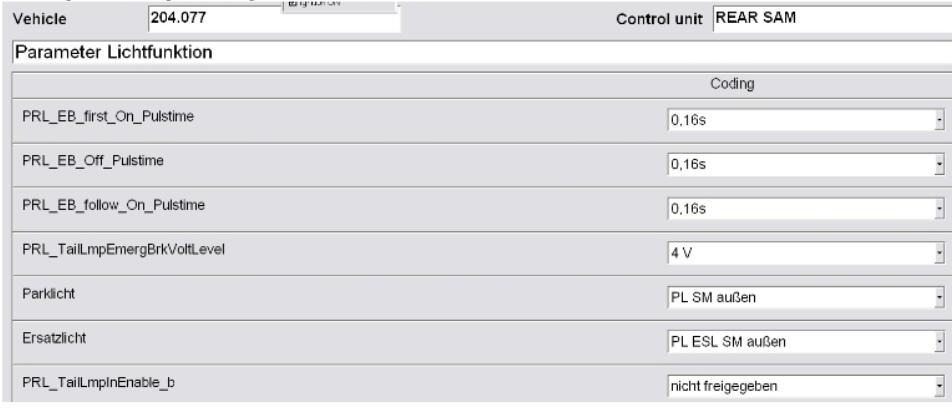
How to retrofit Rear Led Lights by DAS on Mercedes W204 6

How to retrofit Rear Led Lights by DAS on Mercedes W204 7

How to retrofit Rear Led Lights by DAS on Mercedes W204 8

Step 7: Save the configuration

Confirm the coding changes.
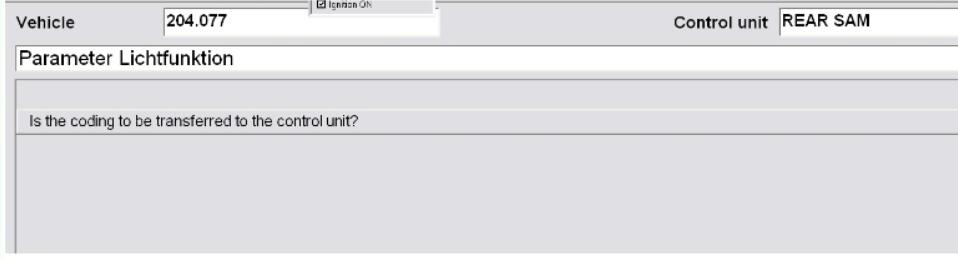
How to retrofit Rear Led Lights by DAS on Mercedes W204 9

Step 8: Select “Yes” to apply the settings

DAS will write the new coding to the Rear SAM.
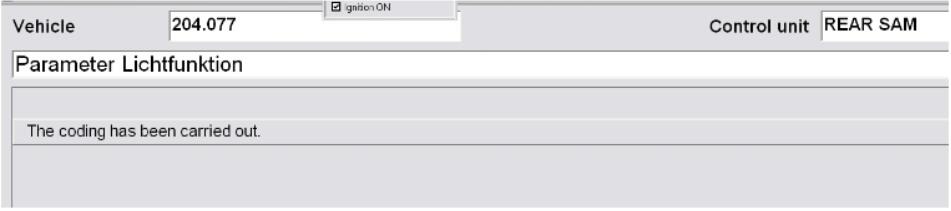
How to retrofit Rear Led Lights by DAS on Mercedes W204 10

Step 9: Restart the system

  • Shut down DAS → turn off the car → lock it → restart the vehicle.
  • The LED rear lights should now work correctly without warnings or flickering.

Share: