

To find out what disc you require and what the latest software is you need to get a copy of the SDFlash folders these can be found online if you look hard enough.
I am performing this on a NTG 4.7 head unit.
So the first thing you need to find is your hardware number I found mine using XENTRY as you can see below.
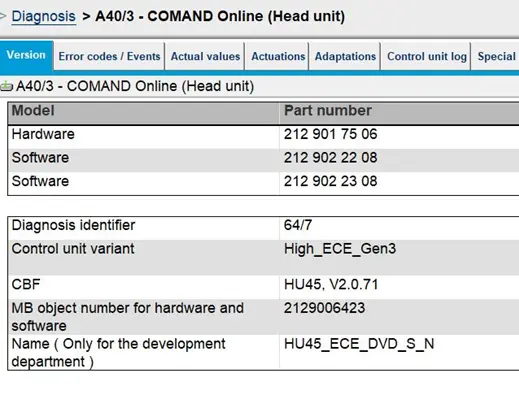
Once you have this you need to check the in all the SDFlash version. CDI files for your hardware number in the PKW folder of the SDFlash as shown below.
These are in SDFlash version / Release / PKW:
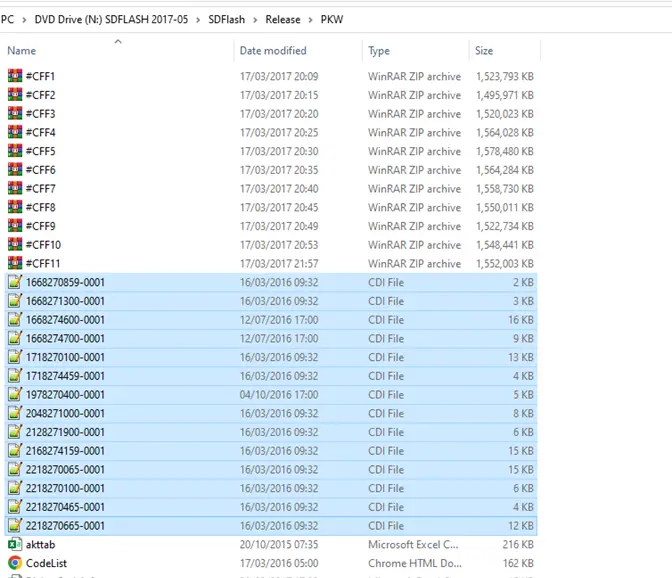
So we know now my hardware number is 2129017506.
So we need to search that number in the CDI files I use "Notepad+".
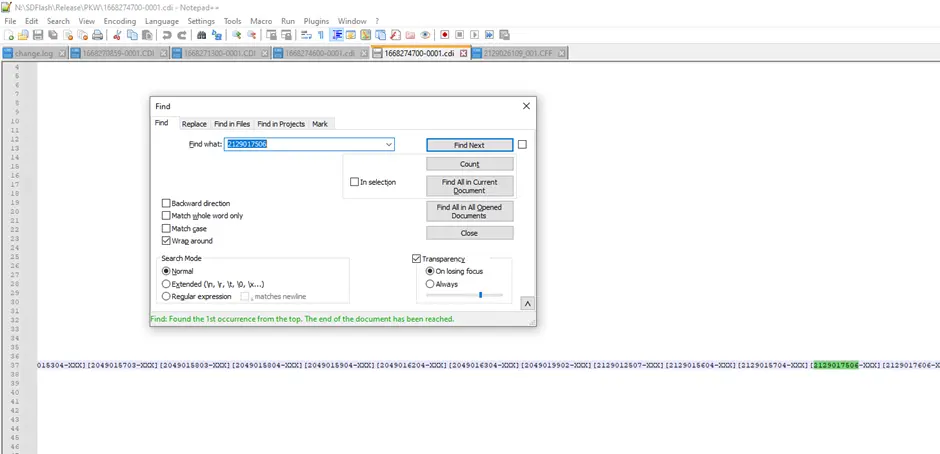
As you can see my hardware number was found in the CDI File named 1668274700-0001.CDI
Which means my Telematics disc needed would be A1668274700.
If you then scroll to the left it will tell you which CFF is needed for Flash.
CFF Name = Blue
Version = Red
# SOFTWARE_LINGUATRONIC_HU_HIGH_ECE_LANGUAGE_DATA_E25_0
2129026109-001 \HU45\140403\A212902\6109_001;
# SOFTWARE_TELEMATIK_HU_HIGH_ECE_APPLIC_CODE_E25_3
2129029810-001 \HU45\144603\A212902\9810_001;